

Go to New Games



Challenge Rush









Get ready to step into the world of Challenge Rush, a next-generation rhythm platform game masterpiece. Players will immerse themselves in a multicolored geometric space. Here, every movement, obstacle, and lighting effect is perfectly synchronized with the background music. Your task is to control the cube to overcome a series of dangerous traps. Note that the game accepts no mistakes. Just the smallest collision with an obstacle will instantly shatter your character. So, you have to return to the starting line with regret. Take a deep breath, put your finger on the control keys, and explore this engaging game together.
LORE SUMMARY
In this game, you have three options to control the cube. Using the mouse, pressing the spacebar, or hitting the up arrow. With just a single button, you will perform all actions. From jumping and flying to reversing gravity depending on the symbol's current form.
Diverse transformation mechanics
- Cube: The icon runs automatically on the ground. Players only need to press a key to jump over obstacles or sharp spikes.
- Ball: In this form, each key press does not make the icon jump up. Instead, it instantly reverses gravity, causing the ball to stick to the ceiling or drop to the arena floor.
- UFO: The icon hovers in mid-air, and each time you press the key. The UFO is pushed up a small step vertically.
- Spaceship: You must hold the key to make the ship fly up and release the key to lower its altitude.
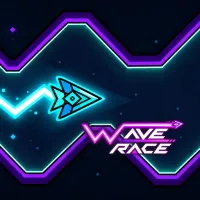
- Wave: The icon moves in an extremely fast zigzag diagonal line. Hold the key to make the wave fly diagonally upward and release it to dive diagonally downward.
Game modes of Challenge Rush
- Normal: Challenges your perseverance with no checkpoints along the way. A single fall means starting over from scratch.
- Practice: Allows you to freely place checkpoints along the path.
How to control
- Left-click, press the up key, or press the spacebar to control your cube moving through narrow tunnels.
Key advice
- Every obstacle and every jump is designed based on the rhythm of the song.
- Use practice mode until your fingers memorize the necessary sequence of actions.
- Pay attention to new interactive elements like speed orbs or teleportation portals.