

Go to New Games




Top Bins
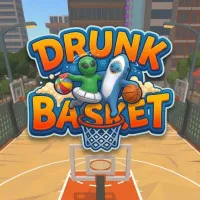

















Top Bins is an ideal sports training ground for young players who want to become football superstars. You will become a real striker facing tough penalty challenges. You need to put the ball into the net against the opponent's defense. In football terms, "Top Bins" refers to shots that send the ball straight into the hard-to-reach top corners. In this position, even the best goalkeepers in the world can hardly touch it. When joining the game, players need to pass many different levels. Each level brings fresh challenges with increasing difficulty. Experience and conquer many exciting game levels.
GAME MECHANICS
This game allows players to use either a computer mouse or a keyboard. Entering the game, you will see the goalkeeper standing in front of the goal. The net is divided into four separate squares. When the system shows which square is red, stay away from that area. Players should click on one of the three remaining blue squares. Thanks to that, your ball will fly into the net while the goalkeeper stands helpless.
For keyboard users, moving the ball is different. The 1 or Q key will aim the ball at the top-left corner. The 2 or E key helps the ball fly to the top-right corner of the net. The 3 or Z key will send the ball to the bottom-left corner of the net. Finally, the 4 or C key will drive the ball into the bottom-right corner.
Dribbling mode
In another game mode, your character will automatically move forward. At the very end, he will make a divine shot to successfully put the ball into the net. For everything to go smoothly, players need to guide the character past players and obstacles along the way. You can use the A key or left arrow to turn left. The D key or right arrow is to turn right. Furthermore, pressing the K or J key helps the character perform a trick to fool the opponent. If you want a burst of speed, press the spacebar or B key. This gives you a huge advantage to advance toward the opponent's goal.
Game variety
- The goalkeeper is extremely smart, often making fake movements to trick the player.
- A collection of twelve different types of football boots with impressive stats.
- Diverse game modes with flexible keyboard and mouse control options.
Keyboard setup
- 1/Q: Shoot the ball into the top-left corner.
- 2/E: Shoot the ball into the top-right corner.
- 3/Z: Let the ball into the bottom-left corner.
- 4/C: Let the ball into the bottom-right corner.
- A/D (or corresponding arrow keys): Change running direction.
- J/K: Perform a dribble move.
- Spacebar/B: Speed up.
Movement tips
- Identify the goalkeeper's movement direction to choose the right shooting angle.
- Only use the speed burst feature when surrounded by multiple defenders at the same time.
- Switch between different boots to see which type best suits your playstyle.
- Trick your opponent to increase your chances of scoring in various situations.